VARA is a popular, proprietary, software modem that is used for transmitting and receiving data over amateur radio. RadioMail can interface with VARA software modems to connect to other stations.
Learn how to setup a portable VARA FM HotSpot
varanny
RadioMail interfaces via TCP/IP with VARA FM and HF software modems. The modem listens on two ports, by default 8300 for commands and 8301 for data payload.
Using a network protocol like TCP/IP enables the software modem to run on a radio-connected computer, while applications such as RadioMail can operate on a separate device, anywhere on the network. However, since VARA wasn't designed to function as a service, this setup comes with certain limitations, particularly when you don't have mouse, keyboard or display access to the remote computer.
In order to allow for VARA to run on a headless computer, its lifecycle and configuration needs to be manageable entirely remotely.
Introducing
varanny,
a command line helper tool that steps in to address these limitations, acting as a 'nanny' for VARA. It offers the following capabilities:
📢 Service Announcement for Zeroconf
varanny
uses
DNS Service Discovery
to broadcast the VARA modem services, making it easier for clients to locate an active VARA instance and automatically fetch its IP and port. This is similar to how your printer gets discovered on a network. Give your specific radio configuration a name and select it from the auto discovered list in RadioMail. No more fumbling with IP or port configuration in RadioMail.
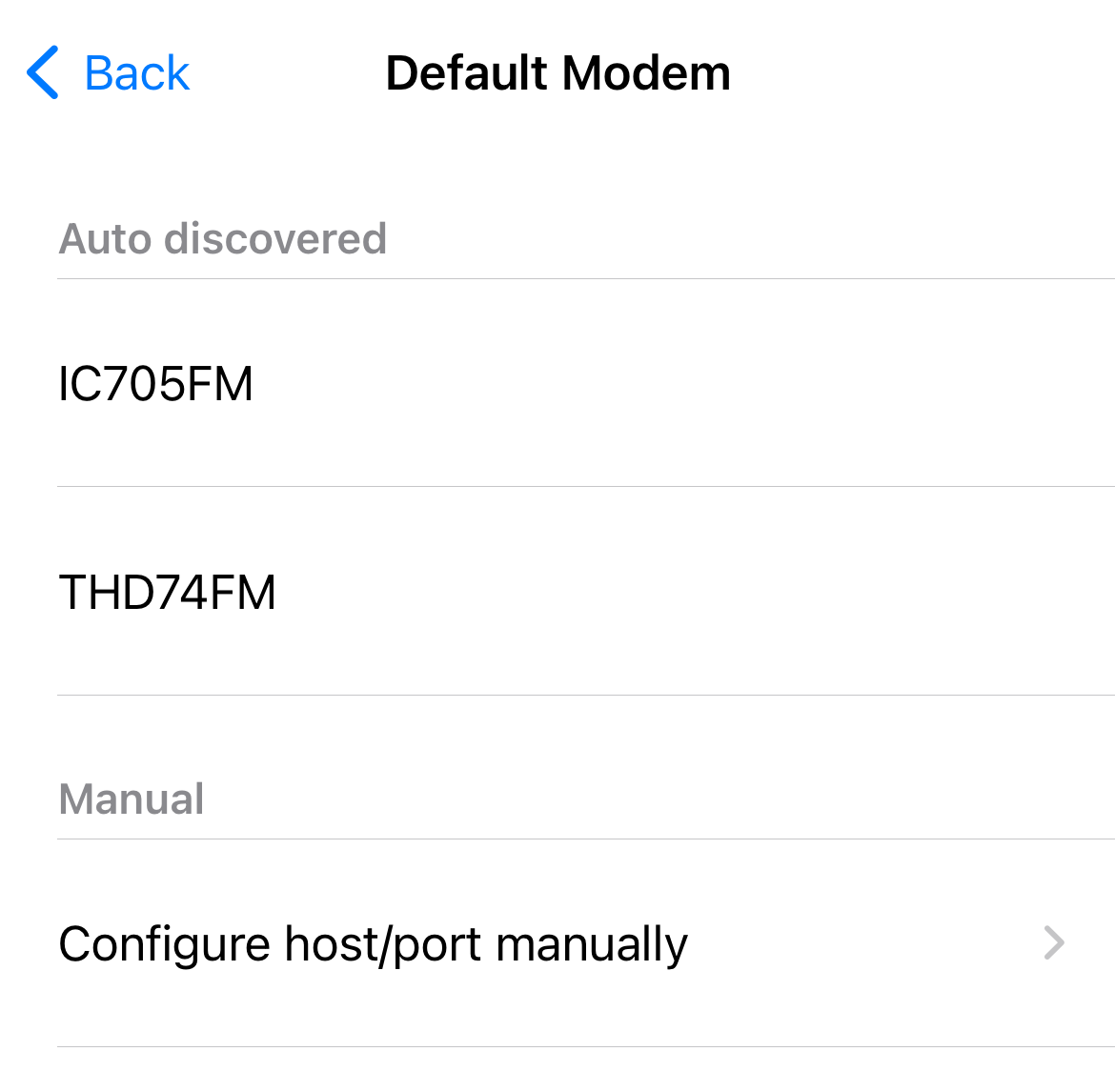
🕹️ Remote Management
varanny
allows RadioMail to start and stop the VARA program remotely. This is particularly useful for headless applications when VARA FM and VARA HF share the same sound card or radio interface and should not be both open at the same time. It also solves the issue of VARA failing to rebind its ports after a connection closes when running on a *nix system via Wine.
🔀 Multiple VARA Configurations
Since VARA doesn't provide command line configuration options,
varanny
steps in to handle multiple configurations. It switches the .ini configuration file that VARA uses, allowing for smooth configuration changes before each session and restoring default settings afterward. Now, switching between different configurations for different radios is a breeze.
🎚️ Audio Level Monitor
varanny
enables RadioMail to show an audio meter reflecting the audio level from the input sound card connected to the remote computer. This helps you set the radio volume at the optimal level.

😺 CAT Control Management
varanny
can launch an instance of
rigctld,
enabling RadioMail to control PTT and frequency changes via CAT control. This is necessary for VARA HF, where radio control is not directly handled by the VARA modem, or when running VARA under Linux where Windows COM port emulation can be difficult to configure correctly.
Installation and Usage
varanny
is a command line program that can run on Windows and Linux. To download and read more about configuration options, visit the
varanny
project page
on GitHub.
You can find guides to help you get started with
If you're having trouble with
varanny,
please
open an issue
on the GitHub project page.
VARA FM
To configure VARA FM manually in RadioMail follow these steps:
- Open the VARA FM application. Make note of ports (8300 by default) and computer IP address. Make sure no other application is connected to VARA as it can only be used by one client at a time.
- In RadioMail, tap Settings -> VARA FM Modem -> Default modem
- Under Manual, select Configure host/port manually
- Enter host and port information
- Tap Done
If your VARA FM software does not control PTT to the attached radio directly, RadioMail can control PTT using CAT control. See section below.
VARA HF
To configure VARA HF manually in RadioMail follow these steps:
- Open the VARA HF application. Make note of ports (8300 by default) and computer IP address. Make sure no other application is connected to VARA as it can only be used by one client at a time.
- In RadioMail, tap Settings -> VARA HF Modem -> Default modem
- Under Manual, select Configure host/port manually
- Enter host and port information
- Tap Done
If your VARA HF software does not control PTT to the attached radio directly, RadioMail can control PTT using CAT control. See section below.
CAT Control
Depending on your equipment, VARA modem can be sometimes be configured to drive the PTT of the radio on its own. In many other situations, CAT control needs to be handled independently.
RadioMail can interface with the
rigctld
daemon (part of the hamlib library) to control PTT and frequency changes when supported.
It can be useful to use the interactive version of
rigctl
(without d) first to ensure that your configuration parameters are correct for your specific radio.
Once you confirm that
rigctl
can talk to your radio properly, simply enter the IP and port of the device where
rigctld
is running in the Settings section of RadioMail.
Configuring Digipeaters
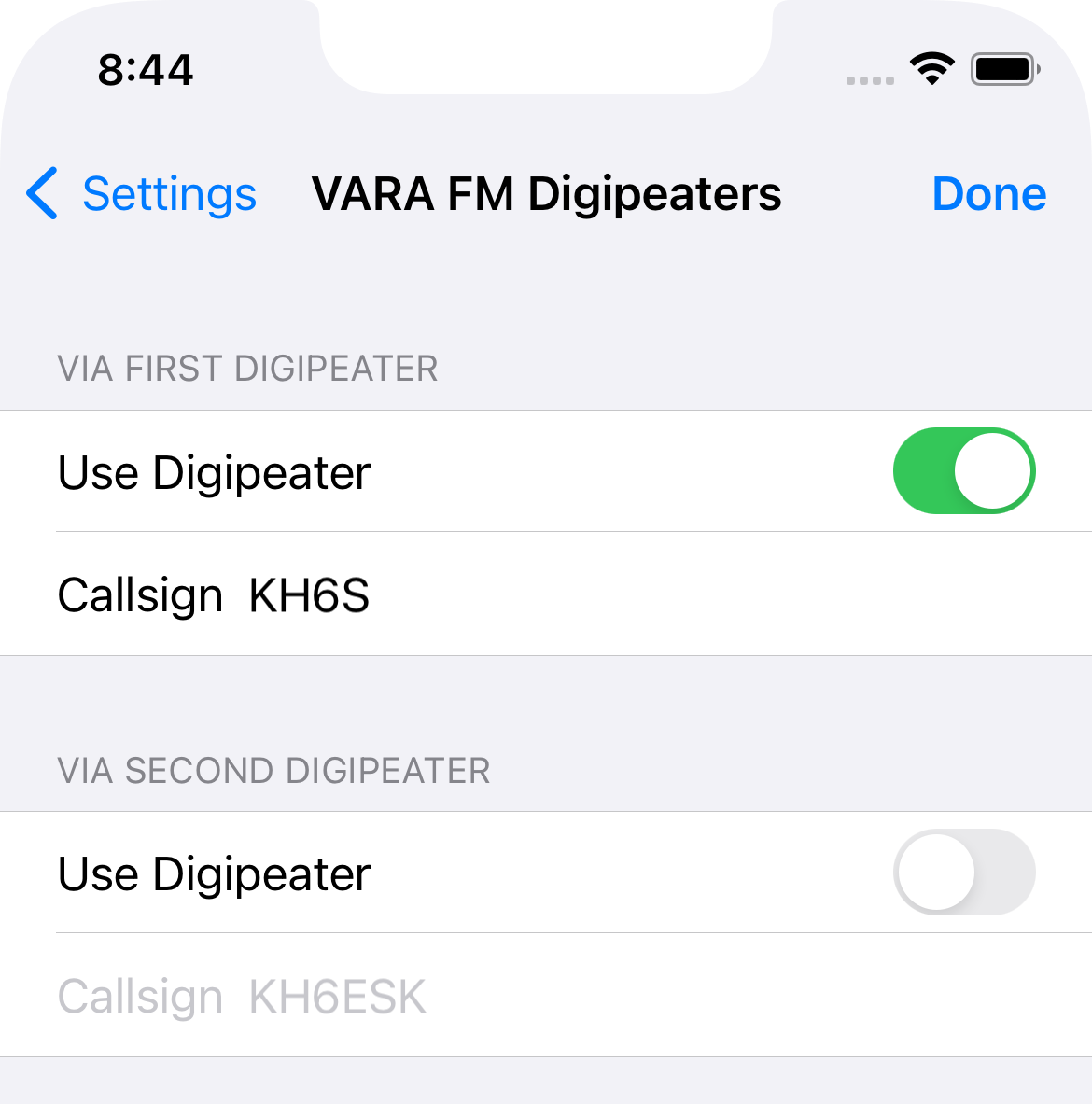
Digipeaters are special stations that receive and sequentially re-broadcast digital data on the same frequency, extending the range of communications. You can now specify up to two digipeaters to use when connecting to a station in packet or VARA FM mode.
For each mode, you can specify and quickly toggle on or off each digipeater in the Settings interface.
When digipeating is in use, the via path is displayed in the connection dialog, and the DIGI indicator is present.
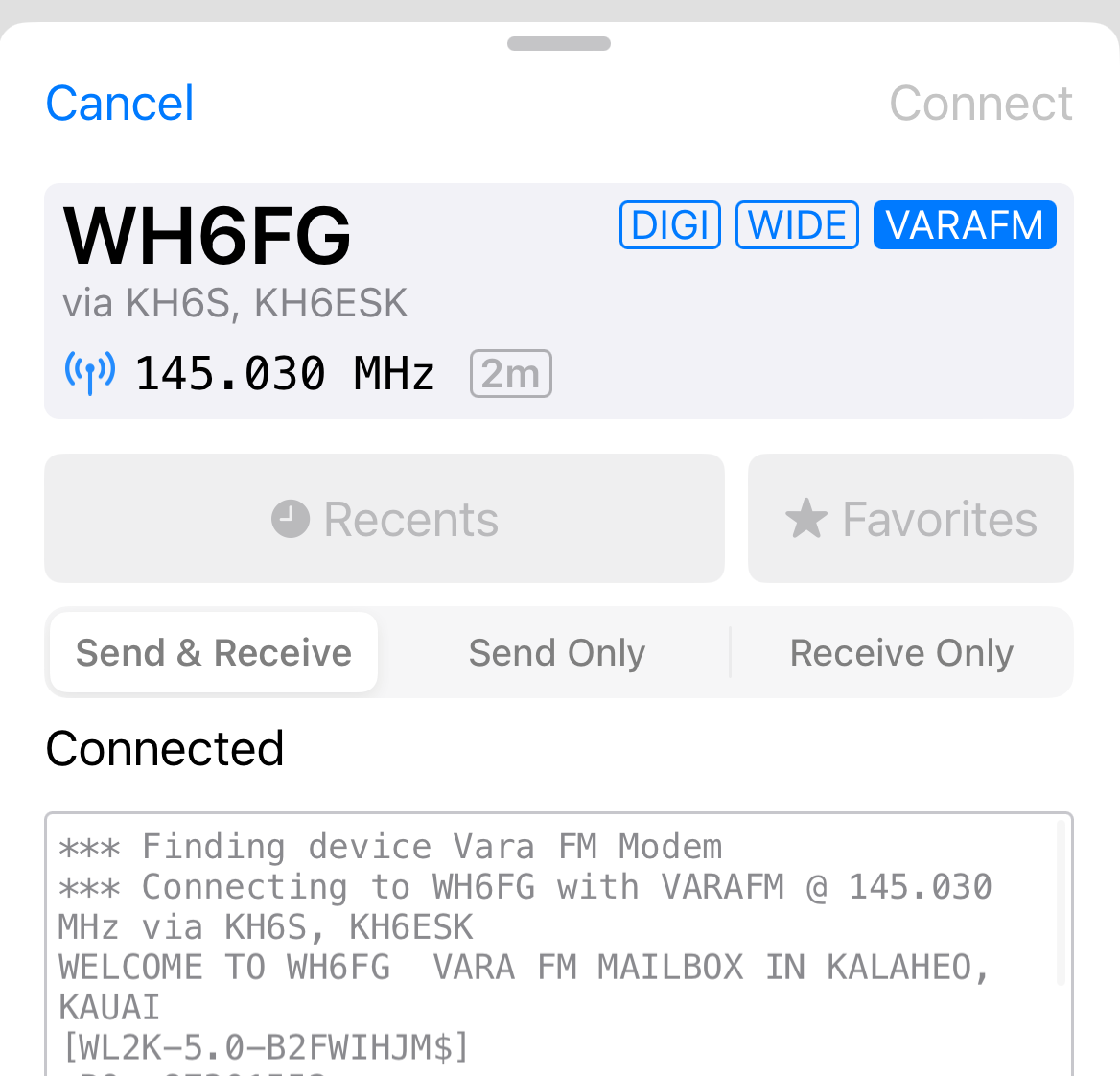
Note that packet and VARA FM digipeaters are not interchangeable since they need specific knowledge of the protocol to listen to and retransmit the data.
VARA FM Speed Levels
| Vara FM (Wide) | Vara FM (Narrow) | |
|---|---|---|
| Level | Net Rate bps | Net Rate bps |
| 1 | 566 | 549 |
| 2 | 1188 | 1181 |
|
Unregistered version speed limit
|
||
| 3 | 2390 | 2390 |
| 4 | 4040 | 3188 |
| 5 | 5387 | 4252 |
| 6 | 7185 | 5668 |
| 7 | 9580 | 7087 |
| 8 | 11340 | 8505 |
| 9 | 14144 | 9567 |
| 10 | 16932 | 11162 |
| 11 | 19003 | 12750 |
| 12 | 22102 | |
| 13 | 25210 | |
VARA HF Speed Levels
| Vara HF 2750Hz (Tactical) | Vara HF 2300Hz (Standard) | Vara HF 500Hz (Narrow) | |
|---|---|---|---|
| Level | Net Rate bps | Net Rate bps | Net Rate bps |
| 1 | 18 | 18 | 18 |
| 2 | 41 | 41 | 41 |
| 3 | 82 | 82 | 61 |
| 4 | 175 | 175 | 88 |
|
Unregistered version speed limit
|
|||
| 5 | 270 | 270 | 177 |
| 6 | 363 | 363 | 270 |
| 7 | 549 | 549 | 441 |
| 8 | 735 | 735 | 588 |
| 9 | 922 | 922 | 705 |
| 10 | 1203 | 2011 | 884 |
| 11 | 2423 | 2682 | 1060 |
| 12 | 3230 | 3219 | 1286 |
| 13 | 3877 | 4025 | 1543 |
| 14 | 4848 | 4830 | |
| 15 | 5817 | 5872 | |
| 16 | 7074 | 7050 | |
| 17 | 8489 | ||